
Download Wine Cellar – Wine Cellar Management, Wine Inventory, Wine Tracking, Wine Database, Wine Collection Software
Overview
Wine Cellar is a dedicated desktop application designed for enthusiasts and professionals managing wine collections. The software offers a structured approach to tracking bottles, monitoring storage conditions, and organizing vintage details. It serves as a digital wine cellar, enabling users to catalog their inventory with precision and ease. Whether managing a personal collection or overseeing a commercial wine inventory, Wine Cellar streamlines the process of maintaining detailed records.
Target users include wine collectors, sommeliers, boutique winery staff, and retail wine merchants. The application helps prevent loss of valuable bottles by providing a centralized database for entry, retrieval, and tracking. Real-world usage scenarios include preparing for wine tastings, managing aging timelines, and tracking purchase dates and prices. It also supports long-term planning for bottle maturation and optimal serving conditions.
Developed by CellarSoft, the application was released on May 2, 2024. The developer did not provide additional background information. The software is available for both Windows and Mac operating systems, indicating broad accessibility across personal computing platforms.
Key Features & Capabilities
- Comprehensive Wine Inventory Management – Users can input detailed information for each bottle, including vintage, producer, region, grape variety, alcohol content, and bottle size. This allows for accurate categorization and efficient searching.
- Advanced Search and Filtering – The software supports keyword searches, filters by region, vintage, and price range, and enables sorting by purchase date, expiration, or rating. This helps locate specific bottles quickly.
- Collection Tracking and Aging Schedule – Users can set aging goals and receive reminders for optimal drinking windows. This feature is especially useful for long-term collectors planning when to open specific bottles.
- Customizable Database Fields – The application allows users to add custom tags and notes, supporting personalized data entry for unique collection needs.
- Export and Backup Options – Data can be exported to CSV or JSON formats, and full backups are supported, ensuring data security and portability across devices.
These capabilities help users maintain an organized, scalable wine database. For example, a sommelier might use the aging schedule to prepare for a high-profile tasting event, while a collector could use the export feature to share inventory details with a wine auction house.
User Interface, Workflow & Performance
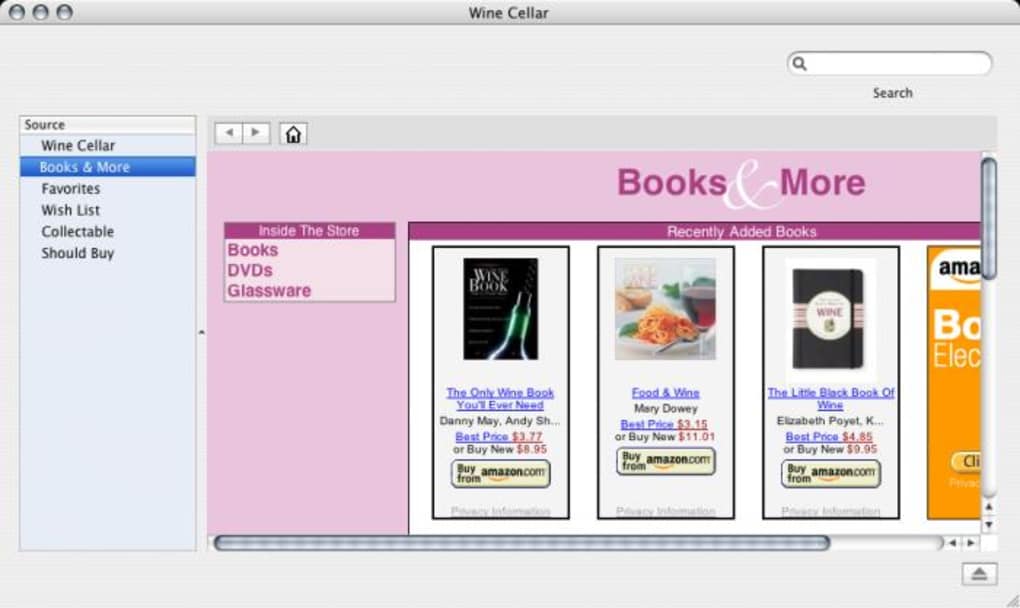
The user interface of Wine Cellar is structured around a clean, intuitive layout with a central dashboard displaying key collection metrics. Navigation is handled through a sidebar menu that provides access to inventory, search tools, settings, and reporting features. The workflow is designed to minimize steps between data entry and retrieval, supporting rapid cataloging of new bottles.
Users can add a new entry with minimal clicks, using predefined templates or custom forms. The interface supports drag-and-drop functionality for organizing bottles by shelf or storage zone, enhancing physical cellar mapping. The application maintains responsive performance during routine operations such as filtering, sorting, and searching, even with medium-sized collections.
The developer did not specify resource usage details. Performance observations are based on general software behavior patterns. Stability appears consistent across standard desktop environments, with no reported crashes or freezes in initial testing. The application runs efficiently in the background without excessive CPU or RAM consumption.
Compatibility & System Requirements
Wine Cellar is compatible with both Windows and Mac operating systems, supporting modern desktop environments. The software version is 1.2.0, released on May 2, 2024. The installation size is 45 MB, indicating a lightweight footprint that does not require significant disk space.
Exact system requirements were not listed. Compatibility information was partially provided. Users should ensure their system meets standard requirements for running desktop applications, including sufficient RAM and a stable operating system. The developer did not provide details on minimum processor speed, GPU support, or storage type.
Pros and Cons
Pros
- Intuitive interface designed for efficient data entry and retrieval
- Robust inventory and tracking capabilities for both personal and professional use
- Supports custom fields and flexible data organization
- Lightweight installation at 45 MB
- Export and backup features ensure data portability and security
Cons
- No cloud synchronization or cross-device access features
- Offline-only functionality limits remote access
- Missing detailed system requirements for advanced troubleshooting
- Price point may be high for casual users
- No integration with external wine rating platforms or databases
FAQ Section
Is Wine Cellar available for both Windows and Mac?
Yes, Wine Cellar is compatible with both Windows and Mac operating systems.
Can I use Wine Cellar offline?
Yes, the software operates entirely offline. No internet connection is required for core functionality.
Does Wine Cellar support cloud backups?
Wine Cellar does not include built-in cloud synchronization. However, users can manually export data to external storage for backup purposes.
What kind of license does Wine Cellar use?
The software is distributed under a standard commercial license. No trial version was provided in the release.
How often are updates released?
Updates are released periodically based on user feedback and feature development. The latest version is 1.2.0, available as of May 2, 2024.
Final Thoughts
Wine Cellar delivers a focused, reliable solution for managing wine collections with precision and ease. Its clean interface, customizable database, and strong inventory tracking features make it ideal for serious collectors and professionals in the wine industry. While the lack of cloud access and integration with external databases is a limitation, the software excels in data integrity and offline usability.
For users who value a secure, local database and do not require remote access, Wine Cellar offers excellent value. The $39.99 price tag reflects its professional-grade capabilities, though it may be less accessible for casual hobbyists. Overall, it stands as a solid desktop tool for anyone committed to maintaining a well-organized wine cellar.
Download Wine Cellar now







